
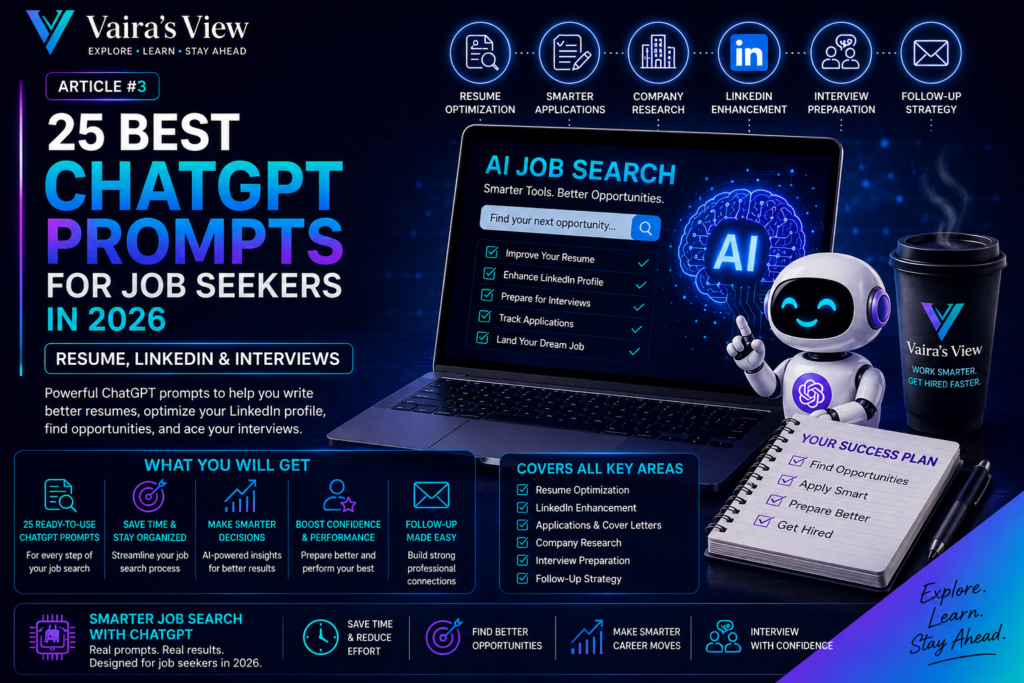
ChatGPT prompts for job seekers can make the 2026 job-search process more organized, efficient and focused.
If you’re looking for a job in 2026, here are 25 ChatGPT prompts that you can use to help you find the perfect position.
The prospect of finding a job in 2026 is far from simple, with more than just a resume being required.
Complex job descriptions, resumes, enhancing LinkedIn profiles, research companies, preparing for interviews, follow-up messages and keeping track of several applications may be required of candidates.
With proper usage, ChatGPT can assist in accomplishing many of these with great success.
The above is the most basic rule:
Use ChatGPT to enhance your real-life experience, rather than creating an experience that you don’t have.
Below are the prompts that will be useful to job seekers to make their job searching process more efficient, and to ensure that their applications are accurate, professional and personal.
1. Best ChatGPT Prompts for Job Seekers: Analyze a Job Description
Take the time to find out what the employer is looking for before spending time on an application.
Prompt
Look at the job description below and categorise the job requirements into four sections: the essential requirements, preferred requirements, responsibilities and potential interview questions. Avoid making any assumptions which are not written in the job description.
Best for: determining, whether or not a position is worth pursuing.
The prompt can help make a lengthy description more readable and focus your attention on the key elements in the description.
2. Review and Make Comparisons to a Job Description
Rather than assuming whether or not you are suitable, have ChatGPT compose a format contrast.
Prompt
Compare my experience with this Job Description. Divide into three groups: good matches, partial matches and real gaps. Use only information that I give regarding my experience. Never make up abilities, projects, jobs or accomplishments.
Best for: determining whether or not to apply and what areas to explain.
Just because there is a gap in your application does not mean that you shouldn’t apply. It can assist you in determining what you might need to know and/or what you might need to explore during an interview.
3. Identify the Most Important Resume Keywords
Now that you have a list of the most important resume keywords, you are prepared to craft your resume.
Job descriptions may include half a dozen or more skills and phrases.
Not every one of them are of the same significance.
Prompt
Examine this job description and select the most relevant skills, technologies, responsibilities and domain terms a successful candidate should be looking to utilise in their CV. Divide them into keywords of high priority, medium priority and optional keywords.
Ideal for: enhancing the relevance of your resume.
Be sure to use keywords that are relevant to your experiences.
4. Customise Resume Bullet Points
You don’t have to have ChatGPT design achievements.There is no need to ask ChatGPT to create achievements.
Start off with the facts.
Prompt
One of my real-life project experiences: Rewrite it into 3 short and sweet resume bullet options. Make sure you use clear verbiage that is action oriented, but refrain from including numbers, technologies, responsibilities, business results or achievements that I didn’t provide.
Best suited to: Clarify, but not to the extreme.
5. To Make a Resume More Relevant to One Role
It’s not always necessary to rewrite a resume.
Sometimes, the most pertinent experience needs to be accentuated.
Prompt
Look at my CV with reference to this job description. Recommend modifications, additions to or changes in existing experiences. Avoid modifying facts and don’t make up experience.
Ideal for: critical uses.
6. Professional Summary – Rewrite a Section of a Professional Summary
If you’re looking to write a professional resume, you might want to start by crafting a generic professional summary.
Prompt
Using the experience, skills and certifications listed below, create three professional-summary statements for this position. Write each one in a succinct, specific and factual manner. Don’t use jargon or overstatements.
Useful for: introducing yourself when applying for a job.
7. Identify Non-Specific or Weak Words and Phrases in the Resume
These terms like “hard-working professional” or “results-driven leader” contain little evidence.
Prompt
Go through this resume section and look for any language that is: vague, repetitive or generic. For every concern give a more sensible choice utilizing just the info given.
Works best when: you want to add credibility.
8. Take a Look at a Resume for a Unintended Exaggeration
A good last-minute review prior to applying.
Prompt
Read this resume, and underline any sentences in which the author might be overstating or understating or is unclear about what he or she is saying. Do not rewrite anything at this time. Give reasons why the following sentences might be a cause for concern to a recruiter.
Ideal for: Quality Control.
LinkedIn Prompts
9. Customize Your LinkedIn Headline
When creating a LinkedIn headline, it is important that it gives a quick impression of what you do.
Prompt
Using these skills, certifications, industries, and target roles, come up with 10 short, but powerful, LinkedIn headlines. Try to keep them state the facts and professional. Avoid using the terms leader, expert and specialist that do not get backed up by my information.
This is best for: Increasing clarity of your profile.
10. Upgrade Your Linkedin About Section
Your About section shouldn’t come across as an advertisement.
Prompt
Write about LinkedIn about section based on the information I give you. Share my story, my competencies, my experience and direction in my career in a natural, professional manner. Don’t use cliches, hyping up and boasting about what they did.
Ideal for: a personal brand.
11. Make the Best Use of Your LinkedIn Experience Section
Often LinkedIn Job Descriptions are either too short or too long.
Prompt
Use these notes and tasks to make a strong LinkedIn Experience section! Avoid going overboard with words and keep it readable. Remember to keep all facts and do not insert anything that I didn’t give you.
Useful for: tidying up sections of a work-history.
12. Identify LinkedIn Profile Information That Is Missing in a LinkedIn Profile
ChatGPT can even be a checklist!
Prompt
Look through the LinkedIn profile information below and determine what it lacks or may not be clear to people who are interested in [target role]. Be sure to view the About, experience, projects, certifications, skills and Featured sections on the header. Avoid “fill-in-the-blanks”.
Ideal for: Auditing the profile.
Job Application Prompts
13. A Short Recruiter Message Is Another Name for Them.Another Nickname for Them Is Short Recruiter Message
The length of a recruiter message is not important.
Prompt
Write a short e-mail to a recruiter about this position. Use the background below, and tell the connection in a natural way. Do not exceed 100 words and don’t embellish my experience.
This is best for: recruiter outreach.
14. Enhance an Existing Networking Message
Using your voice in your own words helps to maintain your voice.
Prompt
Make the following more clear and professional in terms of the message and keeping the natural tone. Try to avoid the formality, promotion and AI-sounding approach.
Best for: networking.
15. Fill in a Referral Request Form
Specific requests and respect are the best way to make referral requests.
Prompt
Write a brief letter of recommendation for a person that I know in my profession. State the role, talk about how I think my background might apply and make the person’s response easy, such as “no”. Don’t sound like you are a demand!
Suitable for: referrals by professionals.
16. Write Application E-Mail
There are still a number of companies that are accepting applications via email.
Prompt
Compose an application e-mail for this opportunity based on my information. Add role name, brief description of relevant experience and professional ending. Please don’t copy my CV.
Ideal for: straight uses.
17. Enhance a Cover Letter – Don’t Make It Generic
If you require a cover letter, provide ChatGPT with the facts before requesting a cover letter.
Prompt
Develop a brief cover letter that details how this position fits my experience from my own experiences and this position description. Make sure you don’t make up achievements or overuse words like “dream opportunity” or “perfect fit.”
Best for: particular applications.
Company Research Prompts
18. Create a Research Check List for the Company
Please note that AI-generated summaries should not be a substitute for verification.
Prompt
Make a research checklist for this company prior to my interview. Create groups as official website, products and services, recent news, leadership, competitors, technology, culture and questions I should check myself.
Ideal for: Interviews.
19. Be Aware of What a Company Is Likely to Be Looking for in a Role
The problem of a business may not always be apparent from the title.
Prompt
Given the above job description and the information I give about the company, list the 5 most probable business results you hope to see from the candidate who is hired. Differentiate facts from reasonable inferences.
Ideal for: Learning priorities for roles.
Interview Prompts
20. Take Part in a Realistic Mock Interview
Interactive practice is one of the best ways to utilize ChatGPT.
Prompt
Be the interviewer for the following job description: Come up with one question at a time. Following each response, rate the response for relevance, clarity, evidence and structure. When my answer is not definite, ask a follow up question. Please wait until I give the best answer for a question before you give me the answer.
Ideal for: complete interviewing scenarios.
21. Use a Real Experience to Create a STAR Answer
Your example should be of your own.
Prompt
Using the STAR structure (Situation, Task, Action and Result), help me to structure my experience below in reality. Avoid adding any details; if they are not present, do not add them. If key information is lacking, ask questions, rather than fill in the information.
Ideal for: Behavioural interviews.
22. Learn How to Answer Some of the Trickiest Interview Questions
Candidates tend to get questions easy and forget to answer the difficult ones.
Prompt
Interview me with difficult questions on the things I want to change in my career, what my weaknesses are, what projects I failed to complete, what conflicts I have had, what I did not do, what my motivation was for leaving my job, etc. interrogate me on salary expectations, motivation to change jobs, etc. Challenge answers to be vague, defensive, or not supported and ask 1 at a time.
Best used for: high pressure testing.
23. Forecast What Types of Questions Are Likely to Be Asked in the Interview
The job description can be used as a checklist to help you focus on your preparation efforts.
Prompt
Read this description for a job and make a list of the questions that you might ask during an interview. Organise them into the following categories: Technical, Behavioural, Leadership, Domain Knowledge and Company-specific. Only rank the topics with regard to the job description as high, medium or low probability.
Ideal for: intensive study.
24. To Make a 5 Day Interview Study Plan
This can help, when it seems like you need to do too much to prepare.
Prompt
Make a 5 day plan on how to prepare for an interview for this position. I have 60 minutes to spend in a day. Identify the key areas of the job description and cover these in the order of priority and incorporate questions, practice and mock interviews.
Ideal for: those who need a lot of organization.
Follow-Up Prompt
25. Create a Thank-You Letter for a Personalized Interview
A follow-up text message should make reference to what was just said.
Prompt
Write a brief note of thanks after my interview from the following notes. Say 1 or 2 things that we talked about, not general words, and confirm my interest in the profession. Don’t include anything that did not take place in the interview.
Best used for: after interview follow up.
A Simple Workflow to Search for Jobs Using ChatGPT
We will create a simple workflow to search for jobs using ChatGPT.
The prompts can be used on any day but not all 25 are required each day.
One possible application of such a workflow is:
Step 1 — Find
Find a few jobs that are really on your career path.
Step 2 — Analyze
Using prompts 1-3 to gain an understanding of the role and make comparisons to their experiences.
Step 3 — Create Your Resume
In this step, you will create your resume.
Give each of prompts 4–8 a score of 1–5 to assess their relevance and clarity.
Step 4 — Strengthen LinkedIn
Use prompts 9–12 to gain a better understanding of your profile by the recruits.
Step 5 — Apply What You’ve Learned and Get Ready to Network
In this step, you will apply what you’ve learned and get ready to network.
For professional communication use prompts 13–17.
Step 6 — Research
Practise with prompts 18–19 prior to key applications and interviews.
Step 7 — Do Your Homework to Prepare for Interviews
Use prompts 20–24.
Step 8 — Follow Up
Follow meaningful conversations with prompt #25.
This workflow is for you to not automate everything in your job search.
The idea is to decrease repetitive tasks and allow more time to devote to better decision making.
What You Should Not Ask ChatGPT to Invent
Sometimes, you should not ask ChatGPT to create something.There are times when it’s best not to ask ChatGPT to invent something.
ChatGPT can enhance the appearance of the presentation, but it shouldn’t craft a fake professional background.
Don’t use it to make up:
- employers
- job titles
- projects
- certifications
- degrees
- Glossary of technologies that you did not use.
- years of experience
- responsibilities
- team sizes
- revenue figures
- customer names
- business results
- salary history
Remove or fix any inaccuracies from ChatGPT, before using it.
It’s more memorable than a more impressive sentence, but it’s more credible!
Protect Sensitive Information
Please take care with the content you input to any AI system.
Be careful not to share information on:
- confidential employer documents
- customer information
- passwords or credentials
- private financial information
- proprietary source code
- internal company data
- sensitive personal information
If possible, strip out identifying and/or confidential details before providing a document to an AI system for analysis.
How to Make the Most of These Prompts
The following are a few tips on how to make the most of these prompts:
The information that you provide will play a key role in the quality of the output that you have.
Instead of writing:
Improve my resume.
Provide context:
I have applied for the position! This is the job description that I have from the website and what I actually did. Let me know what parts of my lives story are pertinent and what parts of my lives story are missing that I should be ready to discuss.
Instead of:
Help me to make myself ready for an interview.
Try:
Now the part, my background and the areas that I am not sure about. Challenge poor answers and pose questions to me on a realistic level, one at a time.
More context that is relevant, generally results in more relevant output.
Is It OK to Just Copy the Answers of ChatGPT?
Usually, no.
Use the first answer as a draft.
Before using it:
- Review all the facts.
- Remove exaggeration.
- Replace generic language.
- Be sure to use a tone that is similar to yours.
- Decide that you would be able to say each of the statements during an interview.
An application that you cannot back up with confidence in person with a recruiter should not be included in an application.
How This Aligns to Your Broader AI Career Search
Best AI Tools for Job Seekers in 2026: 10 Tools to Find, Apply and Prepare for Jobs
How to Use AI for Job Search in 2026: Resume, LinkedIn, Applications and Interviews
ChatGPT is just one element of a contemporary Job-Search toolbox.
Various tools can be used to aid in the process of research, tracking the application, writing, networking, company research and interview preparation.
To read read it in the broader view, you need to read:
In 2026, job seekers will have access to a variety of AI tools to assist them in finding, applying for, and preparing for jobs.These are the top 10 AI tools that will help job seekers find, apply, and prepare for jobs in 2026.
You can also read:
In the years ahead, AI will be a vital resource for job seekers.AI is becoming an essential tool for job seekers in the years to come, particularly when it comes to the job search process.
These guides can be combined for a more comprehensive workflow of responsibly leveraging AI in the job search journey.
Final Thoughts
It’s not the longest that the best ChatGPT prompts for job seekers in 2026 will be.
These are suggestions that help you to think more clearly.
ChatGPT can assist you in comprehending opportunities, conveying your experience, getting ready for tough questions, and arranging a complex job search.
But the information you need to provide is still needed.
Your experience should be true and authentic.
Your accomplishments ought to be genuine.
The interview examples should be genuine in nature.
And you should have your own final decisions.
Now, use ChatGPT to assist you, but not as the creator of a professional identity that’s not yours.
Communicate experience well using AI, not to create a better-looking experience.